Master the WaMeTo Platform
Simple, powerful guides to help you automate, scale, and grow your business on the official WhatsApp API.
Swift Setup
WABA connected in 2 mins
Official API
100% Meta Compliance
Worldwide
Ready for 200+ Countries
Visual Quick-Start
How WaMeTo automates your business in 3 simple steps.
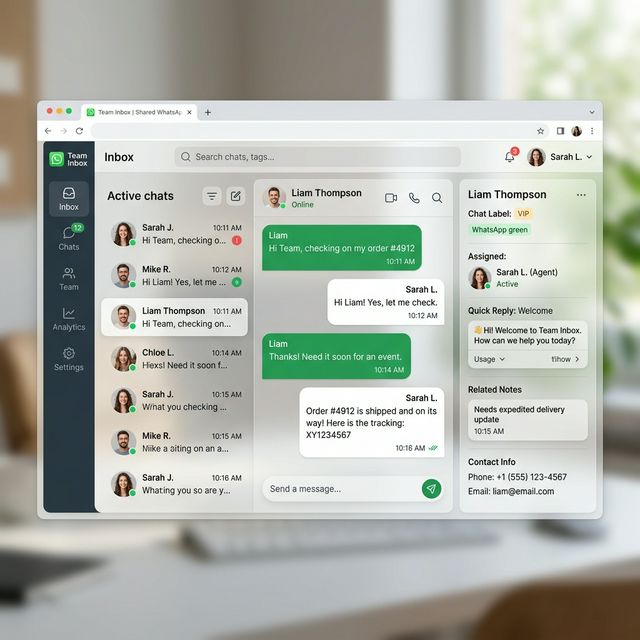
1. Auto-Agent Work
AI instantly handles FAQs, order tracking, and lead qualification.
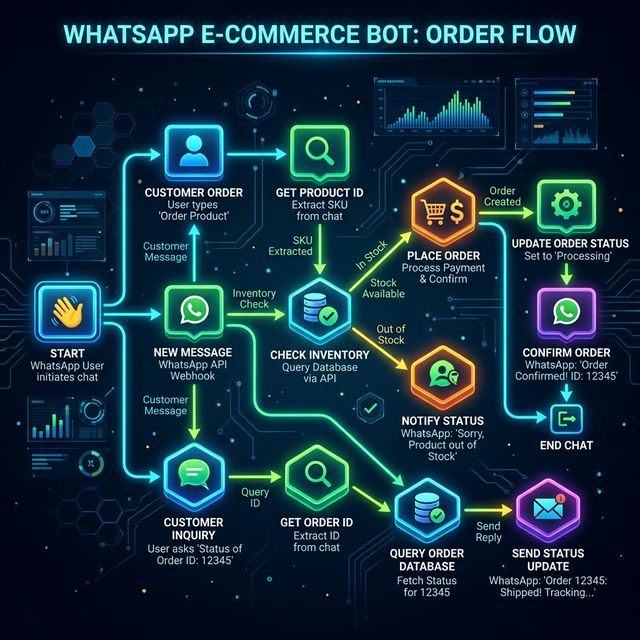
2. Seamless Flow
Meta handles the cloud, we handle the intelligence, you handle the growth.
Real-World Usage Examples
See exactly how different businesses use WaMeTo to scale their operations.
E-Commerce Cart Recovery
Goal: Bring users back who abandoned cart.
How it works:
- Connect your store via the WaMeTo API.
- When a cart is abandoned, trigger the
/api/send_templateendpoint. - WaMeTo auto-sends: "Hi {{1}}, you left items behind! Use code {{2}}."
- If the customer replies, WaMeTo AI handles product questions instantly.
Real Estate Lead Qualification
Goal: Filter serious buyers instantly.
How it works:
- User clicks an Instagram Ad linking to your WhatsApp.
- The Flow Builder asks context questions (e.g. Budget/City).
- System auto-tags high-budget users in the Contacts tab.
- Bot routes the hot lead to a human agent in the Team Inbox.
External Resources & Links
Team Inbox & Real-time Chat
The centralized hub for all incoming and outgoing WhatsApp communications.
Functions
Multi-agent collaboration, real-time message syncing, media support (voice, files, images), and human-handover logic.
How to Use
- Select Thread: Click any contact on the left to load the conversation history.
- Reply: Use the bottom bar for text or the "+" icon for media.
- Assign Agent: Click the agent dropdown to delegate the chat.
- Close Chat: Use the "Resolve" button to clear the active queue.
Limitations
Meta enforces a 24-hour window. If a customer hasn't replied in 24 hours, you CANNOT send free-form text; you must use an Approved Template.
Contacts & Smart Segmentation
Manage your audience with enterprise-grade CRM features.
Addition Methods
Add contacts via manual entry, bulk CSV upload, or automatic saving when someone messages your WABA number.
Custom Labels
Create unlimited labels (e.g., "High Value", "Prospect") to filter and target specific audience segments.
Broadcast Campaigns
Execute bulk marketing and notification campaigns with precision.
Usage Steps
- Name: Give your campaign a unique identifier (e.g., "Holiday Sale 2024").
- Audience: Upload CSV or select a saved segment.
- Template: Choose a pre-approved Meta template.
- Variables: Map columns (e.g., Name) to
{{1}}in your template.
Limitations
Meta rate limits apply based on your WABA Tier (Tier 1: 1k/day, Tier 2: 10k/day, etc.). Sending spam can lead to temporary blocks.

Message Templates
Formalized messages pre-approved by Meta for business-initiated chats.
Approval Statuses
🟢 Approved: Ready for use.
🟡 Pending: Reviewing by Meta.
🔴 Rejected: Policy violation (check guidelines).
Interaction Types
Quick Replies: Pre-defined chips for fast answers.
CTA Buttons: Direct links to websites or phone triggers.
Simple Automation Rules
Keyword-based logic for instant replies.
How it Works
Define Triggers (Keywords) and Actions (Replies). If a user says "Address", the system instantly sends your location.
- Exact Match: Matches "Price" but not "What is price?".
- Contains Match: Matches "Price" even if inside a long sentence.
Visual Flow Builder
Design complex conversational journeys without code.
Building a Flow
- Input Node: Wait for user response.
- Conditional Node: If user is 'Admin' -> Route to A, else B.
- AI Node: Let Gemini/GPT handle the logic at this step.
AI Smart Assistant (Gemini & OpenAI)
Embed advanced LLMs into your WhatsApp business workflow.
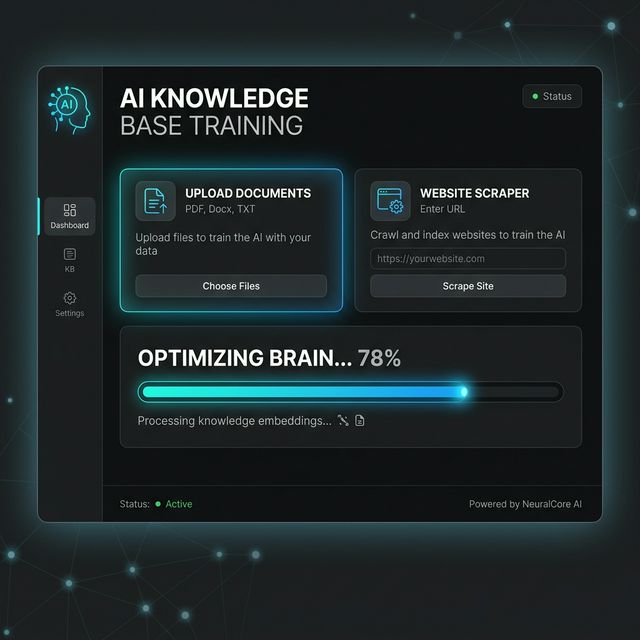
Training & Setup
- Knowledge Base: Upload your pricing PDF or website URL. AI learns your specific data.
- Model Selection: Choose Gemini 1.5 Pro for complex reasoning or GPT-4o mini for rapid support.
- Persona: Set the tone (e.g., "Answer only from the PDF provided").
Connecting Your Meta Account (Step-by-Step)
Follow this strictly to connect your official Meta WhatsApp Business number to WaMeTo.
Step 1: Create a Meta Developer App
- Log into the Meta Developer Portal .
- Click Create App → Select Other → Select Business.
- Name your app (e.g., "WaMeTo Connection") and link it to your Business Portfolio.
Step 2: Add WhatsApp Product
- In the Meta dashboard, scroll to WhatsApp and click Set Up.
- Navigate to WhatsApp > API Setup in the left menu.
- Here you will find your temporary Access Token, Phone Number ID, and WABA ID.
Step 3: Generate a Permanent System User Token
- Go to Meta Business Settings .
- On the left menu, under Users, click System Users.
- Click Add. Name the user (e.g., "WaMeTo API") and set the system user role to Admin.
- Select the new System User and click Add Assets. Assign your new App to this user with Full Control.
- Click Generate New Token. Select your associated App from the dropdown menu.
- Scroll down and check these two permissions:
whatsapp_business_managementandwhatsapp_business_messaging. - Click Generate Token. Copy this incredibly long string immediately and save it safely. It will never be shown to you again!
Step 4: Link to WaMeTo
- Copy your Phone Number ID and WABA ID (from Step 2) into the WaMeTo platform settings.
- Paste the Permanent System User Token (from Step 3) into the Access Token field.
- Click Verify Connection. Your status will turn green if everything matches perfectly.
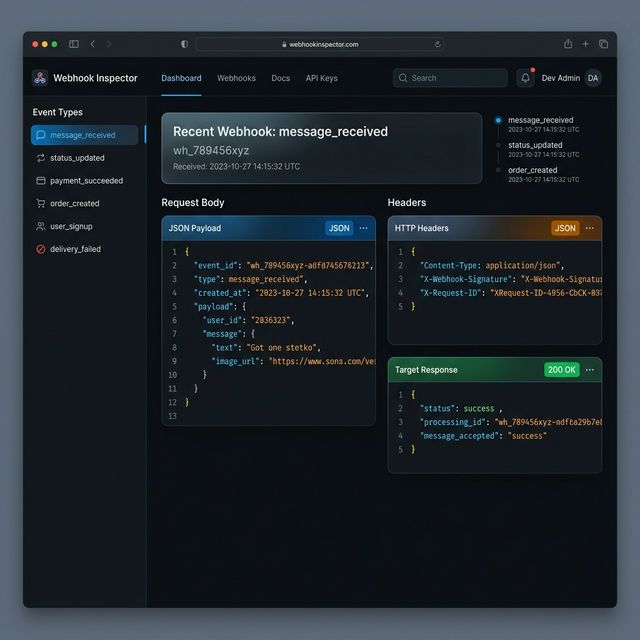
Step 5: Configure Webhooks
To receive incoming chats in real-time, you must configure a Webhook back in the Meta Developer Portal.
Callback URL: https://wameto.com/api/webhook.php
Verify Token: (Locate your unique Webhook Token in WaMeTo Settings)
messages field. You are now live!
Meta Cost & Billing Calculator
Real-time calculation of Meta's consumption-based pricing.
Real-time Calculation Logic
The platform fetches the latest Meta Rate Cards for over 200 countries. Costs are calculated based on:
| Category | Usage | Pricing Type |
|---|---|---|
| Marketing | Promotion/Upselling | Per 24h Window |
| Utility | Transactions/Updates | Per 24h Window |
| Authentication | OTP/Security | Per 24h Window |
| Service | Customer Initiated | Free for first 1,000/mo |
Analytics Summary
Data-driven insights into your messaging performance.
Key Metrics Explained
- Delivery Rate: Percentage of messages successfully accepted by Meta servers.
- Read Rate: Messages opened by recipients (requires read-receipts enabled).
- Cost Estimation: Projected spends based on country-specific rates.
Teams & Agent Management
Scalable collaboration for customer support teams.
Agent Roles
Admin: Full access.
Manager: View analytics + Manage agents.
Team Member: Chat access only.
Performance Logs
Track response times, resolution rates, and individual agent productivity metrics.
API Developer Hub & Documentation
Power your external apps with the WaMeTo WhatsApp Engine.
Direct API Usage
Generate your API Key in the Hub. Use our REST endpoints to send messages, manage contacts, or check balances.
{ "phone": "123456", "text": "Hello!" }
Support Tickets
Dedicated assistance for any platform challenges.
Open a ticket directly from the dashboard for technical issues, billing disputes, or feature requests. Our typical response time is 4-6 business hours.
Ready to Automate Your Business?
Join hundreds of growing companies using WaMeTo to scale their sales and support on the Official WhatsApp API.
Start 14-Day Free TrialNo credit card required. Setup in 5 minutes.